

Perplexity can research air quality. Soldr can put the sensor on your desk
Part of our series testing AI tools against one live prompt on Soldr. Live guest session, no retakes.
The prompt
"An air quality monitor for my bedroom that warns me with a light and a beep when the air gets bad." Perplexity is the research tool we'd actually recommend here — it searches the live web and cites its sources, so its explanation of MQ-series sensors will be current and checkable. But research is where it ends: it aggregates other people's stock pages, quotes prices it cannot honour, and ships nothing.
What Soldr did with it
This time we answered the platform question with "you pick" — and it chose for us, then said why:
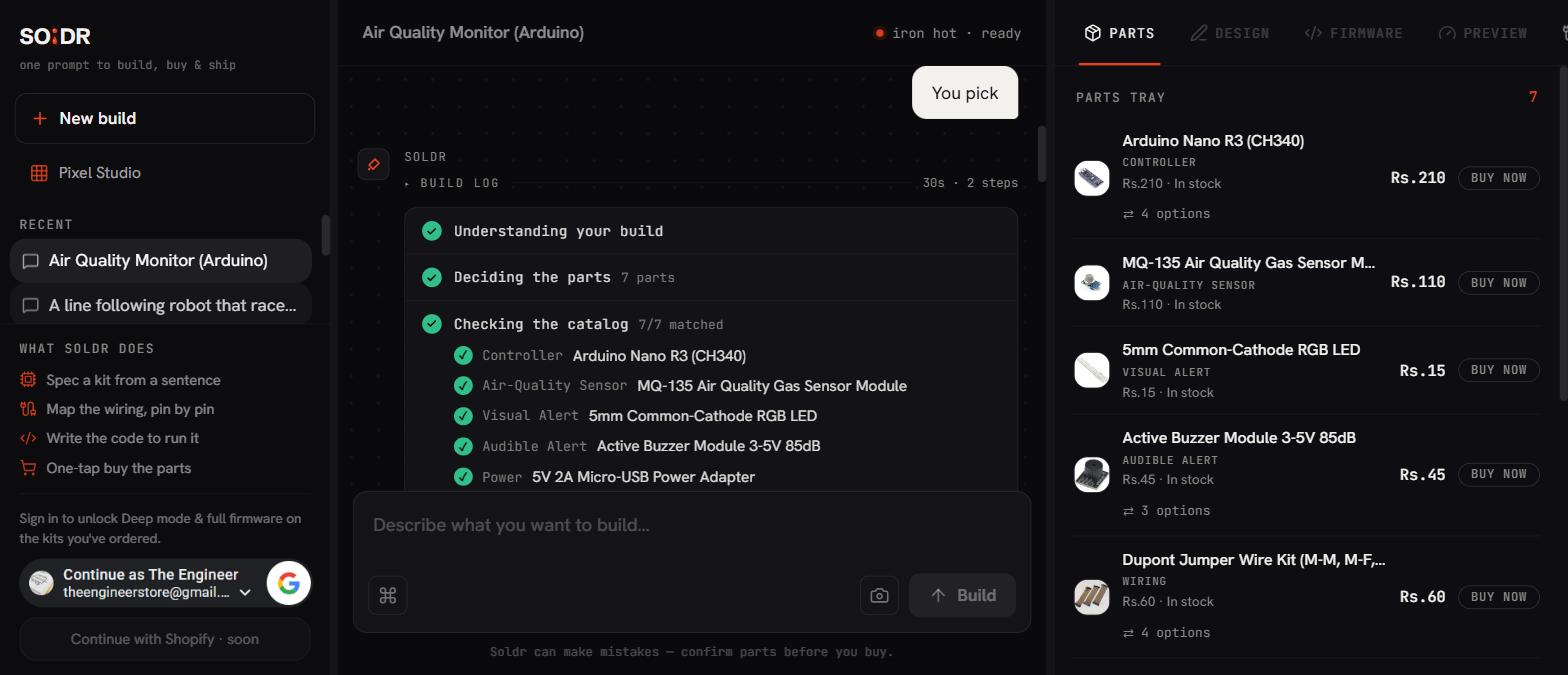
The honesty beats in this one:
- "The MQ-135 must be calibrated first; otherwise its readings do not mean anything reliable." That sentence is in the build log, unprompted. Most tutorials skip it; it is the single most important fact about this sensor.
- It flagged that the RGB LED's 2–3.3V forward voltage against 5V logic is a constraint to respect — the thing that quietly kills LEDs in first builds.
- It budgeted the sensor's 160mA heater draw against the supply before we bought anything.
The buy list, from that live tray
| Part | Price |
|---|---|
| Arduino Nano R3 (CH340) | ₹210 |
| MQ-135 Air Quality Gas Sensor Module | ₹110 |
| 5mm Common-Cathode RGB LED | ₹15 |
| Active Buzzer Module 3-5V 85dB | ₹45 |
| 400-point Solderless Breadboard | ₹40 |
| Dupont Jumper Wire Kit | ₹60 |
| 9V 1A Power Supply Adapter | ₹240 |
| Total | ₹720 |
When to use which
Use Perplexity to read up on what an air-quality index means — with citations. Use Soldr when you want the warning light actually blinking on your shelf: ₹720 of real stock, wiring for the exact Nano clone in the box, firmware pay-per-use with the first generation free.
Screenshot from a signed-out guest session on app.soldr.ai on the day of writing. Soldr numbers are the live values in our deployed billing code.